Advanced IP Surveillance Architectures: Optimising Bandwidth and Storage for UK Premises
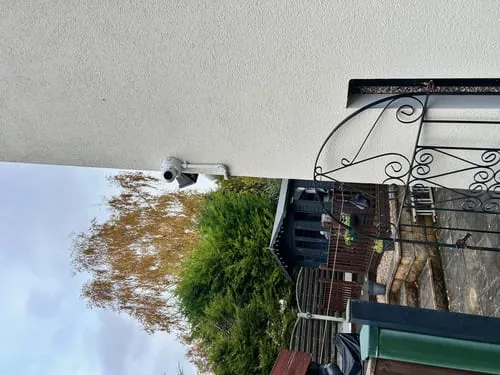
Advanced IP Surveillance Architectures: Optimising Bandwidth and Storage for UK Premises
As a seasoned, UK-certified installer, I, Gary Pearce, have witnessed the evolution of security systems firsthand. The shift from analogue to IP surveillance has brought unprecedented capabilities – higher resolution, intelligent analytics, and remote accessibility. However, with these advancements come significant engineering challenges, particularly concerning bandwidth consumption and data storage management. For businesses and institutions across the UK, from the bustling streets of London to the quiet industrial estates of the Midlands, effectively managing these resources is not merely about cost-saving; it's about ensuring the resilience, reliability, and regulatory compliance of their security infrastructure.
In this detailed guide, my aim is to delve into the advanced architectural strategies that we, as professional installers, employ to optimise IP surveillance systems. We'll explore the technical underpinnings, practical calculations, and design principles necessary to build a robust, future-proof system that performs optimally within the unique demands of UK premises.
The Data Deluge: Understanding Bandwidth and Storage Fundamentals
At the heart of every modern IP surveillance system lies a fundamental trade-off between video quality, retention duration, network capacity, and storage capacity. High-resolution cameras (4K, 8K) capture immense detail, but this comes at a direct cost: larger file sizes and higher bitrates.
Bandwidth Consumption: This refers to the data transfer rate required to move video streams across a network. It's primarily driven by:
- Resolution: The number of pixels (e.g., 1080p, 4MP, 4K). Higher resolution means more data per frame.
- Frame Rate (FPS): The number of frames captured per second. A higher frame rate (e.g., 25fps for fluid motion) means more frames per second to transmit.
- Compression Efficiency: The effectiveness of the codec in reducing file size without significant quality loss.
- Scene Complexity: Dynamic scenes with lots of motion and detail generate more data than static scenes.
Storage Requirements: This dictates how much capacity is needed to retain video footage for a specified period. It's a function of:
- Number of Cameras: Directly proportional.
- Average Bitrate per Camera: The sustained data rate after compression.
- Recording Duration: How many days, weeks, or months the footage must be kept (often dictated by UK GDPR or internal policies).
- Recording Mode: Continuous, motion-triggered, or event-based.
- Storage Overhead: Space for operating systems, indexing, and potential data redundancy (RAID).
The interplay is critical: inefficient bandwidth management leads to network bottlenecks, dropped frames, and unreliable recording. Insufficient storage means vital footage could be overwritten before its retention period expires, posing significant compliance and evidential risks.
Pillars of Bandwidth Optimisation
True optimisation goes beyond simply buying bigger hard drives or faster network switches. It involves a multi-faceted approach, integrating cutting-edge compression, intelligent analytics, and robust network design.
#### 1. Advanced Video Compression Technologies
The codec is the cornerstone of bandwidth efficiency.
- H.264 (MPEG-4 AVC): Still widely used, H.264 offers a good balance of compression and quality. However, it can struggle with very high resolutions or complex scenes without significantly increasing bitrate.
- H.265 (HEVC - High-Efficiency Video Coding): This is the current gold standard. H.265 can achieve approximately 50% greater compression efficiency than H.264 at the same perceived visual quality. This means a 4MP camera using H.265 might consume similar bandwidth to a 2MP camera using H.264, or deliver double the retention on the same storage.
- H.265+ / Smart Codecs (e.g., Hikvision's H.265+, Dahua's Smart H.265): These proprietary or enhanced codecs build upon H.265 by integrating advanced algorithms like:
- Scene Adaptive Encoding: Dynamically adjusting bitrate based on scene complexity.
- Background Self-Adaptation: Drastically reducing bitrate for static backgrounds.
- Noise Suppression: Filtering out visual noise that can be misidentified as motion.
- Long-Term Reference Frame (LTRF): More efficiently handling static elements over time.
Technical Comparison: Codec Efficiency
| Feature/Codec | H.264 (AVC) | H.265 (HEVC) | H.265+ / Smart H.265 |
|---|---|---|---|
| Efficiency | Good | ~50% better than H.264 | ~70-80% better than H.264 |
| Bitrate | Higher for given quality | Lower for given quality | Significantly lower |
| CPU/GPU Load | Moderate | Higher (for encoding/decoding) | Moderate (on edge device) |
| Adoption | Very High | High (increasing) | High (vendor-specific) |
| Ideal Use | Standard IP, older systems | New deployments, 4MP+ | High-density, long retention |
When specifying new systems, I invariably recommend H.265-capable cameras and NVRs/VMS, with H.265+ for maximum efficiency where available and supported across the entire chain.
#### 2. Intelligent Resolution and Frame Rate Management
Not all streams need to be full resolution, 25fps continuously.
- Dual/Triple Streaming: Most IP cameras offer multiple video streams (e.g., Main Stream for recording, Sub-Stream for live viewing or mobile access). The sub-stream can be configured at lower resolution (e.g., D1 or 720p) and frame rate (e.g., 5-10fps) to conserve bandwidth for remote access.
- Event-Triggered Recording: Configure the NVR/VMS to record at full resolution and frame rate only when motion or an intelligent event (e.g., line crossing) is detected. During periods of inactivity, it can record at a lower frame rate (e.g., 5fps) or even lower resolution, significantly reducing storage.
- Region of Interest (ROI) Encoding: Some cameras allow you to define specific areas within the frame that require higher detail, while other less critical areas are encoded at a lower quality.
#### 3. Edge Intelligence and Video Analytics
Pushing processing to the camera itself (the "edge") is transformative.
- Advanced Motion Detection (VMD): Modern cameras don't just detect pixel changes. They can distinguish between humans/vehicles and environmental noise (rain, swaying trees), drastically reducing false positives and only triggering recordings when genuinely necessary. This reduces unnecessary data transmission and storage.
- Intrusion Detection, Line Crossing, Object Counting: By having the camera analyse the scene and send metadata (e.g., "Person detected at 14:32:05 in zone 3") or a short clip, rather than continuously streaming raw video, the network load is dramatically reduced. The NVR/VMS can then pull the high-resolution stream only for the relevant event.
- Facial/License Plate Recognition: These advanced analytics typically only stream segments of interest, further optimising bandwidth.
#### 4. Robust Network Segmentation and Quality of Service (QoS)
The network is the backbone; a poorly designed network will undermine all other optimisations.
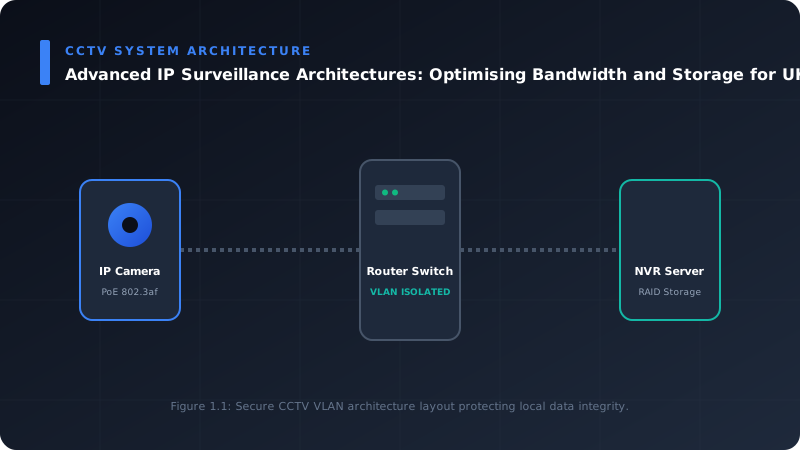
- Dedicated CCTV VLANs: It's a non-negotiable best practice for critical UK security systems. Segregating surveillance traffic onto its own Virtual Local Area Network (VLAN) isolates it from other business traffic (data, voice). This prevents congestion on the main corporate network and enhances cybersecurity by creating a logical boundary.
- Quality of Service (QoS): Implement QoS policies on network switches and routers to prioritise video traffic. By using Differentiated Services Code Point (DSCP) or Class of Service (CoS) tags, we ensure that video streams receive preferential treatment, guaranteeing bandwidth even during peak network usage elsewhere. For example, assigning a higher priority to the real-time video stream (EF - Expedited Forwarding) ensures smooth playback and recording.
- Sufficient Network Infrastructure: Gigabit Ethernet is the absolute minimum for any serious IP surveillance system. For high-density deployments (e.g., large retail outlets, multi-site corporate campuses), 10 Gigabit Ethernet backbones are often necessary to prevent bottlenecks, especially when multiple NVRs or a central VMS are pulling streams simultaneously. Fibre optic cabling should be used for backbone links exceeding copper's distance limitations (100m) or in environments with high electromagnetic interference.
Strategic Storage Solutions for UK Premises
Choosing the right storage strategy is equally critical, balancing capacity, redundancy, access speed, and cost, all while adhering to UK data protection regulations.
#### 1. Local Storage (NVR/VMS with Direct-Attached Storage)
Most common for small to medium installations.
- Network Video Recorders (NVRs): Purpose-built appliances with integrated hard drives. They offer simplicity and often come with embedded VMS software.
- Video Management Software (VMS) on Servers: For larger, more complex systems, VMS runs on dedicated servers, allowing for greater scalability and customisation.
- Hard Disk Drives (HDDs): Surveillance-grade HDDs (e.g., WD Purple, Seagate Skyhawk) are designed for 24/7 write cycles.
- RAID Configurations (Redundant Array of Independent Disks): Essential for data integrity.
- RAID 0 (Striping): No redundancy, but maximum performance. Not recommended for critical surveillance.
- RAID 1 (Mirroring): Data is duplicated on two disks. Excellent redundancy (one drive can fail) but halves usable storage.
- RAID 5 (Striping with Parity): Requires at least three drives. Distributes data and parity across disks, allowing for one drive failure without data loss. Good balance of performance, capacity, and redundancy.
- RAID 10 (1+0 - Striping of Mirrors): Requires at least four drives. Offers high performance and redundancy (multiple drive failures possible depending on which drives fail). More expensive in terms of usable capacity.
Considerations for Local Storage: Single point of failure if the NVR/server is compromised, physical security of the device, limited scalability compared to networked solutions.
#### 2. Network Attached Storage (NAS)
NAS devices are dedicated file servers connected to the network, providing centralised, scalable storage.
- Advantages: High scalability (can expand by adding more drives or NAS units), centralised management, flexibility (can be used for other network storage needs), excellent redundancy options with multiple RAID levels.
- Considerations: Relies heavily on network performance; a dedicated NAS for CCTV can isolate traffic. Ensure the NAS and VMS are compatible.
#### 3. Cloud Storage
Storing footage off-site in a third-party data centre.
- Advantages: High scalability, off-site redundancy (protection against local disasters, theft), remote accessibility from anywhere with internet, potentially reduced on-site hardware maintenance.
- Disadvantages: Recurring subscription costs, reliance on internet bandwidth (upload speeds are critical), data sovereignty concerns (where is the data stored and who has access? UK GDPR compliance is paramount).
- Hybrid Cloud: This is often the most practical solution for UK premises. Critical short-term footage (e.g., 7-30 days) is stored locally for fast access, while longer-term or less critical archives are pushed to the cloud. This balances immediate access with long-term security and scalability.
#### Storage Calculation Example
Let's calculate the required storage for a common UK scenario:
Assumptions:
- Number of Cameras: 16
- Resolution: 4 Megapixels (2560x1440)
- Frame Rate: 15 FPS (recording continuously)
- Compression: H.265+ (with smart encoding, we can estimate a lower average bitrate)
- Retention Period: 30 days
- Recording Mode: Continuous (with smart analytics reducing bitrate for static scenes)
Estimated Average Bitrate per Camera (H.265+ for 4MP@15fps):
With effective H.265+ and scene-adaptive encoding, we can realistically estimate an average bitrate of 2.5 Mbps per camera for active scenes, dropping significantly for static ones. Let's use 2.5 Mbps as an average for continuous recording to be conservative.
Calculation:
1. Bitrate per Camera (Mbps): 2.5 Mbps
2. Total Bitrate for all Cameras (Mbps): 16 cameras * 2.5 Mbps/camera = 40 Mbps
3. Convert Mbps to MBps: 40 Mbps / 8 bits/byte = 5 MB/s
4. Data per Hour (MB): 5 MB/s * 3600 seconds/hour = 18,000 MB/hour = 18 GB/hour
5. Data per Day (GB): 18 GB/hour * 24 hours/day = 432 GB/day
6. Total Storage for 30 Days (GB): 432 GB/day * 30 days = 12,960 GB
7. Convert GB to TB: 12,960 GB / 1024 GB/TB ≈ 12.66 TB
Conclusion: For this system, approximately 13 TB of usable storage would be required. If we factor in RAID 5 (which typically loses 1 drive's capacity for parity) or RAID 10 (loses 50% capacity), the raw drive capacity purchased would need to be higher. For instance, with RAID 5 on 4TB drives, you'd need five 4TB drives (20TB raw) to achieve around 16TB usable, providing ample space.
Architectural Design Principles for Optimal Performance
The overarching architecture defines how all these components integrate.
#### 1. Centralised vs. Distributed vs. Hybrid Architectures
- Centralised: All cameras stream to a single NVR/VMS server at a central location.
- Pros: Simplified management, consolidated storage, powerful VMS features.
- Cons: High bandwidth requirement to the central point, single point of failure (if not redundant), challenging for multi-site deployments without high-speed WAN links.
- Ideal for: Single, large premises or campus environments with robust internal networks.
- Distributed: Each site has its own NVR/VMS, recording locally. A central monitoring station pulls sub-streams or event data.
- Pros: Reduces WAN bandwidth significantly, local resilience.
- Cons: Decentralised management, higher hardware costs per site.
- Ideal for: Multiple remote sites (e.g., retail chains, branch offices).
- Hybrid (Edge Recording with Central Monitoring): Cameras record directly to onboard SD cards (edge storage) or local mini-NVRs, with critical events or sub-streams sent to a central VMS or cloud.
- Pros: Maximum resilience (recording continues even if network fails), minimal central bandwidth, cost-effective for smaller sites.
- Cons: Limited local storage capacity on SD cards, potential for SD card failure, complex for very large numbers of cameras.
- Ideal for: Small offices, remote kiosks, or as a backup for other architectures.
For many UK multi-site operations, a hybrid distributed architecture with centralised management over sub-streams and event data, coupled with robust local recording, offers the best balance of performance, resilience, and cost.
#### 2. Network Infrastructure Design
- Switches: Use managed PoE/PoE+ switches for cameras, ensuring sufficient power budget. Layer 3 switches are recommended for VLAN routing in larger deployments.
- Backbone: High-speed fibre optic links (e.g., OM3/OM4 for multi-mode, OS2 for single-mode) are crucial for inter-switch and server-to-storage connections, especially when exceeding 100m copper limits or for 10GbE and beyond.
- Redundancy: Implement link aggregation (LAG/LACP) for critical network paths and redundant power supplies on key network devices and NVR/VMS servers to prevent single points of failure.
- Wireless Considerations: While wireless cameras offer flexibility, they introduce latency, interference, and security risks. For critical infrastructure, wired connections are always preferred due to their stability and predictable bandwidth. Where wireless is unavoidable, use dedicated, robust enterprise-grade hardware with strong encryption and proper site surveys.
#### 3. System Scalability and Future-Proofing
A well-engineered system anticipates future needs.
- Modular Design: Choose VMS platforms and NVRs that allow for easy expansion of camera licenses, storage, or computational resources.
- Over-Provisioning: Slightly over-provision network bandwidth and storage capacity from day one. It's more cost-effective to add capacity during initial installation than to retrofit it later.
- Standardisation: Utilise open standards (e.g., ONVIF) where possible to ensure compatibility between different vendor equipment, allowing for greater flexibility in future upgrades.
Implementation Checklist for UK IP Surveillance Deployment
Before any cable is laid or camera mounted, a meticulous planning phase is essential.
1. Needs Assessment & Site Survey:
- Define security objectives (deterrence, evidence, monitoring).
- Identify critical areas, choke points, entrances/exits.
- Determine required camera resolutions, fields of view, IR capabilities.
- Assess environmental factors (lighting, weather, potential vandalism).
- Document existing network infrastructure, power availability.
- Understand UK GDPR implications for data retention and privacy.
- Adhere to the Surveillance Camera Commissioner's Code of Practice.
- Consider specific industry regulations (e.g., CPNI for critical national infrastructure).
- Match camera type to specific requirements (dome, bullet, PTZ, thermal).
- Verify H.265/H.265+ support and onboard analytics capabilities.
- Ensure appropriate IP (ingress protection) and IK (vandal resistance) ratings for environment.
- Calculate total bandwidth requirements (peak and average).
- Design dedicated VLANs for CCTV traffic.
- Implement QoS policies.
- Specify appropriate switches (PoE/PoE+, managed, Layer 3).
- Plan cabling routes and types (Cat6/6a, Fibre Optic).
- Determine required retention period based on policy/GDPR.
- Calculate total storage capacity needed (factoring in compression and recording modes).
- Select storage type (NVR, NAS, Hybrid Cloud).
- Design RAID configuration for data redundancy.
- Choose a platform that supports chosen codecs and camera analytics.
- Assess scalability, integration capabilities, and user interface.
- Verify features like remote access, alarming, and reporting.
- Calculate total PoE budget required for all cameras.
- Specify uninterruptible power supplies (UPS) for NVRs, VMS, and critical network components.
- Consider surge protection.
- Implement strong, unique passwords for all devices.
- Disable unnecessary ports and services.
- Regularly update firmware.
- Utilise network segregation and firewalls.
- Consider VPNs for secure remote access.
- Thoroughly test all camera feeds, recording, and playback functions.
- Verify network performance and bandwidth utilisation.
- Test analytics features and alarm triggers.
- Train end-users.
- Document the entire system configuration.
2. Regulatory Compliance:
3. Camera Selection:
4. Network Design:
5. Storage Strategy:
6. NVR/VMS Selection:
7. Power Management:
8. Cybersecurity Measures:
9. Testing and Commissioning:
Maintenance, Monitoring, and UK Compliance
A professionally installed system requires ongoing care. Regular checks of storage health, network performance, and camera status are vital. Firmware updates are crucial not just for new features but for patching security vulnerabilities.
Adhering to UK data retention policies, especially under GDPR, is paramount. This includes establishing clear retention schedules, ensuring data is securely deleted once its purpose is fulfilled, and having procedures for subject access requests. The Surveillance Camera Commissioner's Code of Practice provides an excellent framework for ethical and effective use of surveillance cameras in England and Wales, which all responsible installers and operators should follow.
Conclusion: Engineering for Resilient Security
The days of simply plugging in cameras are long gone. Modern IP surveillance demands an engineering mindset, a deep understanding of networking principles, compression technologies, and data management strategies. For UK premises, this also includes a keen awareness of specific regulatory landscapes.
By carefully planning, selecting the right technologies, and implementing robust architectural designs, we can build IP surveillance systems that not only deliver exceptional security and forensic capabilities but also do so efficiently and reliably, optimising valuable bandwidth and storage resources.
If your organisation is looking to upgrade, expand, or design a new IP surveillance system, ensuring it meets the highest standards of performance, efficiency, and UK compliance, I invite you to reach out through our online contact page for a professional consultation. We're here to engineer the resilient security solutions you need.
---
Frequently Asked Questions (FAQ)
Q1: What is the single biggest factor affecting bandwidth consumption in an IP CCTV system?
While multiple factors contribute, the video compression codec used has the most significant impact on bandwidth consumption for a given resolution and frame rate. H.265 (HEVC) and particularly enhanced versions like H.265+ can reduce bandwidth requirements by 50-80% compared to older H.264 codecs, without compromising perceived video quality. Following this, camera resolution and frame rate are the next most significant factors.
Q2: Is cloud storage truly secure and cost-effective for long-term video retention in the UK?
Cloud storage can be highly secure, provided you choose a reputable provider with strong encryption, robust data centre security, and a clear understanding of their data residency policies, especially concerning UK GDPR. It offers excellent scalability and off-site redundancy, protecting against local disasters. However, it typically involves recurring costs that can outweigh local storage for very large, continuous retention periods. For long-term archiving or off-site backup, a hybrid cloud approach is often most cost-effective, using local storage for immediate access and cloud for longer-term, less frequently accessed archives. Always ensure the cloud provider's data centres are located within the UK or EEA to simplify GDPR compliance.
Q3: How often should I review my IP surveillance system's bandwidth and storage needs?
It's advisable to conduct a review at least annually, or whenever there's a significant change to your premises or security requirements. This includes adding more cameras, increasing resolution or frame rates, extending retention periods, or experiencing changes in network infrastructure. Regular monitoring of network traffic and storage usage (most NVR/VMS platforms provide this) can flag potential issues proactively, allowing you to re-evaluate and adjust your architecture before performance degrades or storage capacity is exhausted.
Q4: What's the minimum network speed recommended for a modern IP CCTV system?
For the backbone of any professional IP CCTV system, Gigabit Ethernet (1000 Mbps) is the absolute minimum I would recommend. This applies to connections between cameras and switches, and critically, between switches and the NVR/VMS or storage devices. For high-density camera deployments (e.g., 50+ cameras), or systems utilising high-resolution (4K+) cameras extensively, a 10 Gigabit Ethernet (10 GbE) backbone should be considered to prevent bottlenecks and ensure smooth, reliable operation, especially when multiple users are simultaneously accessing live or recorded footage.
📊 Technical System Design Reference Infographic
Related Technical Resource: Advanced QoS Configuration: Prioritising Critical Traffic on UK Residential Gigabit Networks
Technical Standards and Industry Resources
- External Compliance Guidance: Industry Standards & Compliance Resources
- Partner Site Feed: Gary Pearce Portfolio Services - Codeberg Hub


Comments